See three real interface captures in a guided screenshot walkthrough: merchant gift wrapping, Shopify theme setup and shopper recipient entry.
Sample and QA data · Captured 14–15 October 2026 · Reviewed
Watch the guided screenshot walkthrough
A 36-second silent video with English captions. These are still screenshots, not a live transaction recording.
The captures show sample or QA data. They do not verify a live purchase, payment, fulfillment or notification delivery. Interface details can change; follow the linked Help guides for setup.
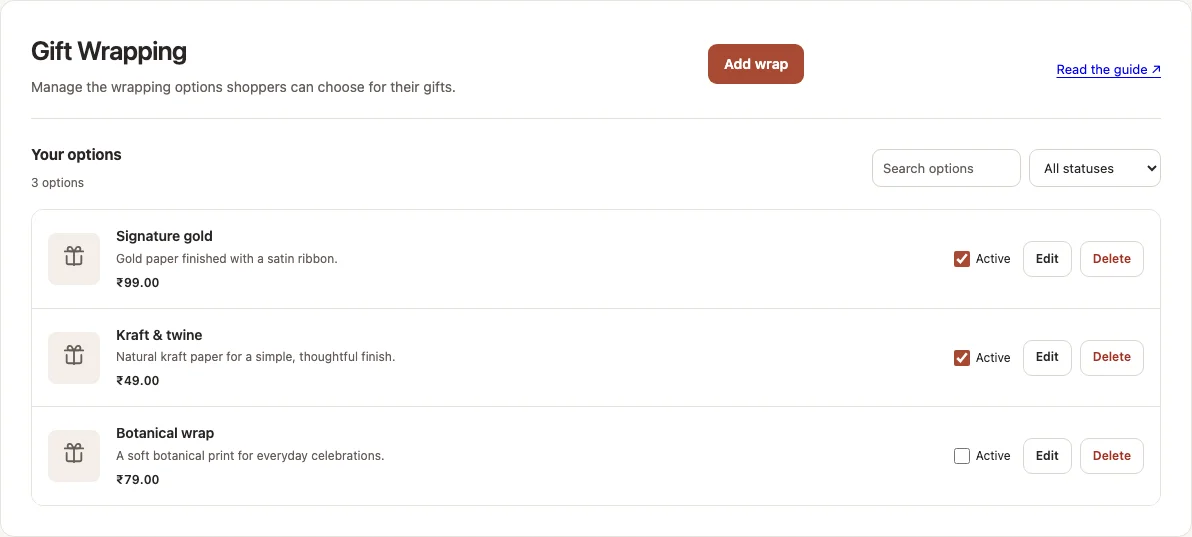
The Gift Wrapping screen lists options with their prices and Active controls, plus Add wrap, Edit and Delete. These are example catalog entries; your team supplies and fulfills the wrapping you offer.
Sample / QA data · Captured
Local capture of the merchant gift-wrapping interface with sample options and prices.
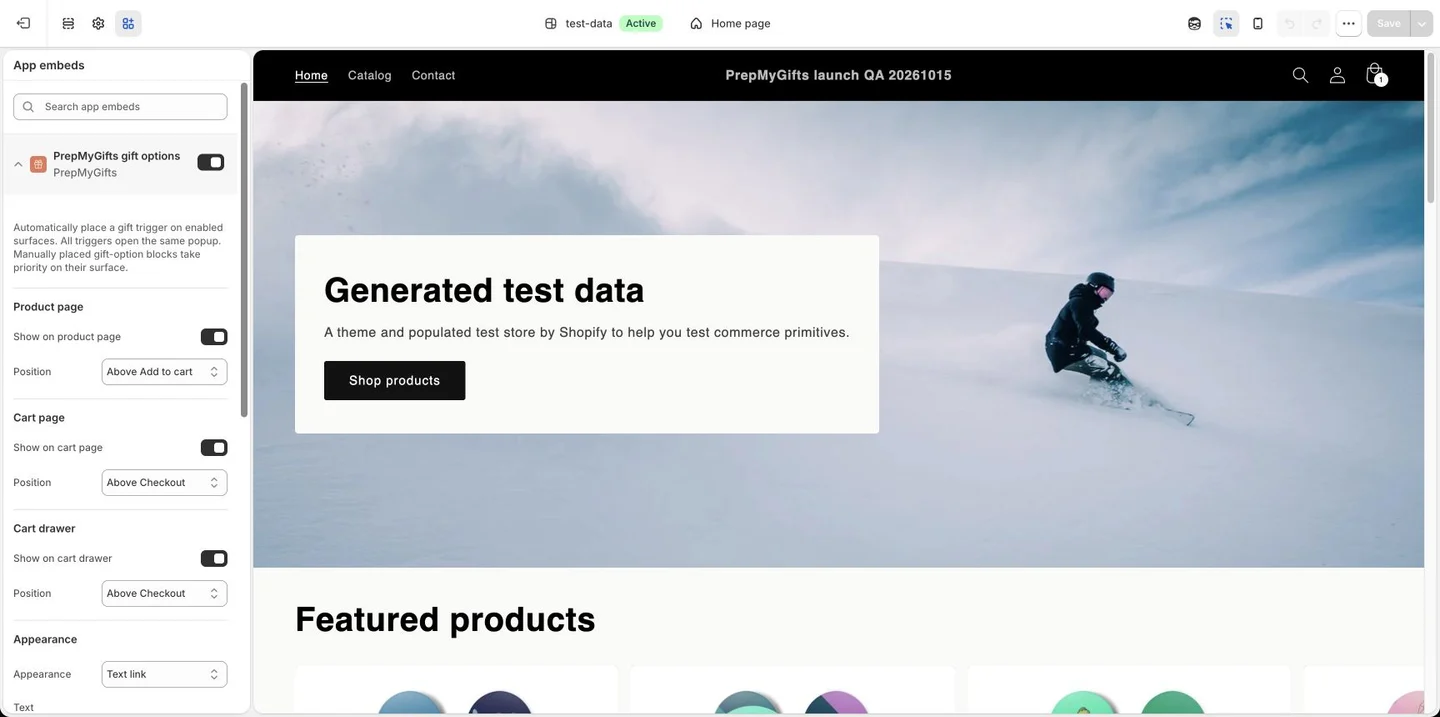
The App embeds panel shows PrepMyGifts gift options, including product-page, cart-page and cart-drawer placement controls. Use the setup guide to select the placement that fits your theme.
Sample / QA data · Captured
Actual Shopify QA theme-editor capture, Dawn test-data theme, extension release 597. No settings were changed or saved.
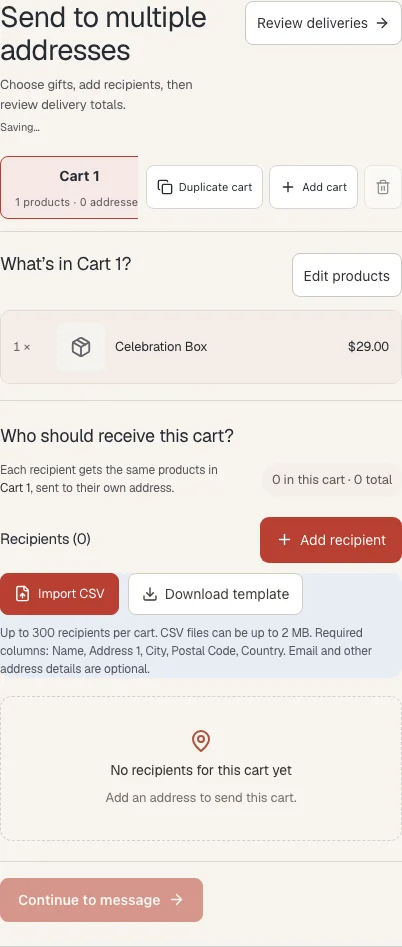
The recipient step offers Add recipient, Import CSV and Download template. The captured screen shows the required CSV columns and an empty recipient list. Review delivery details before continuing through the shopper flow.
Sample / QA data · Captured
Local capture of the Multi recipient gifting interface with sample product data and no recipients entered.
Guided screenshot walkthrough. Silent video; sample and QA data. No live purchase or delivery test is shown.
0–12 seconds: Choose the wrapping your store offers. Gift Wrapping lists sample options and prices. Add wrap creates an option; Active, Edit and Delete manage existing options. Captured 14 October 2026 in a local sample workspace.
12–24 seconds: Review gift options in the theme editor. The Shopify QA theme editor shows the PrepMyGifts gift options app embed and placement controls. Captured 15 October 2026 with test data. No theme changes were saved.
24–36 seconds: Add the people receiving each cart. The Multi recipient gifting step offers Add recipient, Import CSV and Download template. This sample cart has no recipients. Captured 14 October 2026 in a local sample workspace.