Add recipients and check their addresses
Enter a separate delivery address for each recipient in the selected cart.
How to use it
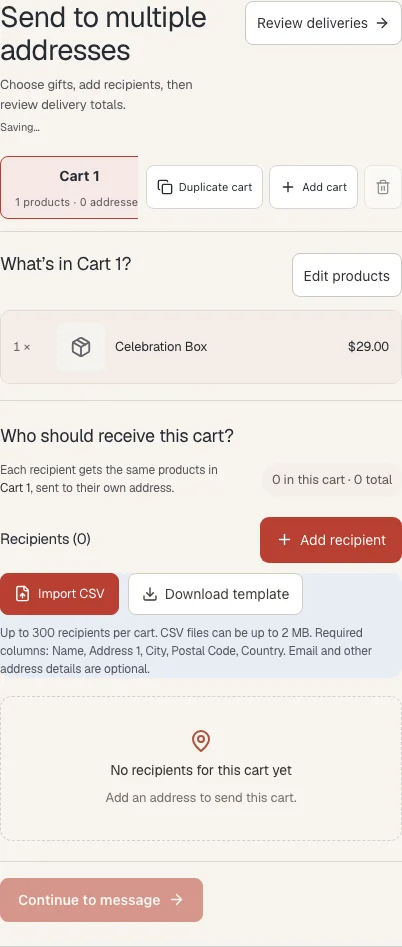
- Choose the cart, then choose Choose delivery addresses to open its recipient list.
- Choose Add recipient. Enter first and last name, street address, city, postal code and country. Add state/province where needed; email and phone are optional.
- Choose Save recipient. Use Edit to correct a saved address, or Remove and confirm to remove that delivery.
- Continue to review and correct any address errors Shopify reports.
Where to find it
What to know
Each recipient receives the same products and quantities shown in the selected cart. The limit is 300 recipients per cart.
Saving an address adds it to the list. Shopify checks it later when calculating available shipping and taxes.
What happens next
The recipient appears in the cart roster. Delivery calculations use the saved address.
Was this helpful?
Still need a hand? Contact support below.