Manage gift wrapping options
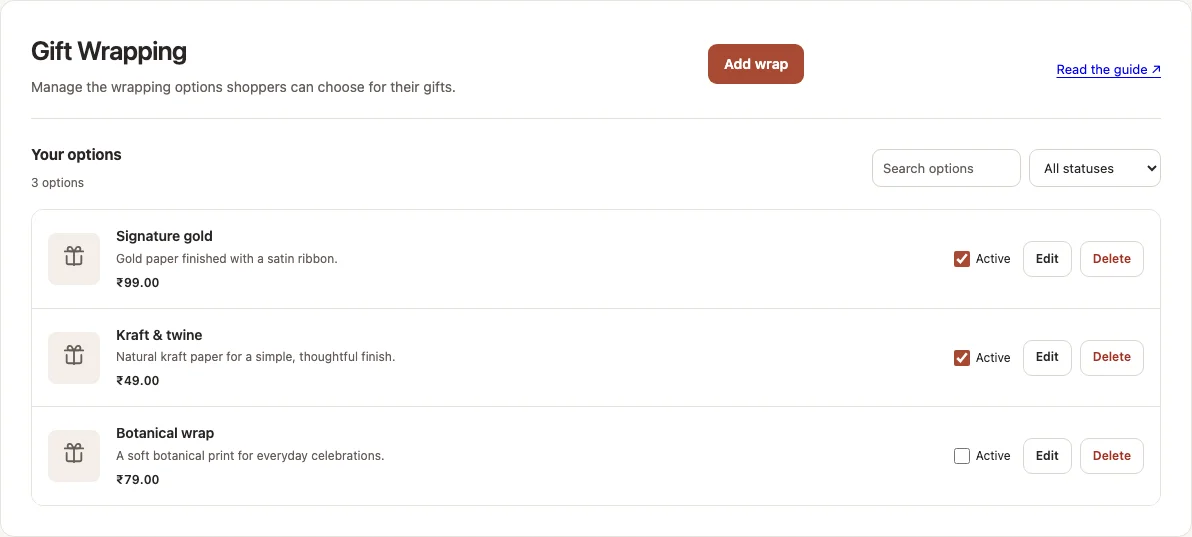
Offer wrapping styles shoppers can choose for their gifts. You set each style’s price, description and picture.
How to use it
- Open PrepMyGifts → Gift Wrapping.
- Choose Add wrap. Enter a name and price in your store currency. Add a description to help shoppers choose; it is optional.
- Add a picture if needed, then choose Add Wrap Option. Check the option’s Active control in the list.
- On Home, enable Gift Wrapping. Open a storefront product to check the option and price in the popup.
- Use Edit to update an option, or clear its Active control to stop offering it. Check the storefront again after saving.
Where to find it
What to know
The store supplies these products and sets shopper prices. Use active options you can fulfill. Turning a service off does not remove past purchased lines.
Shoppers select eligible gift items in the popup before adding the option. Product exclusions can prevent this service appearing.
What happens next
Active options appear in the gift popup when their service is enabled and the store’s product checks allow them.
Was this helpful?
Still need a hand? Contact support below.