Enable multi-address gifting
Configure multi-address gifting so one buyer can pay for several recipient deliveries.
How to use it
- Check that your approved plan includes multi-address orders, then enable Multi-address shipping on Home.
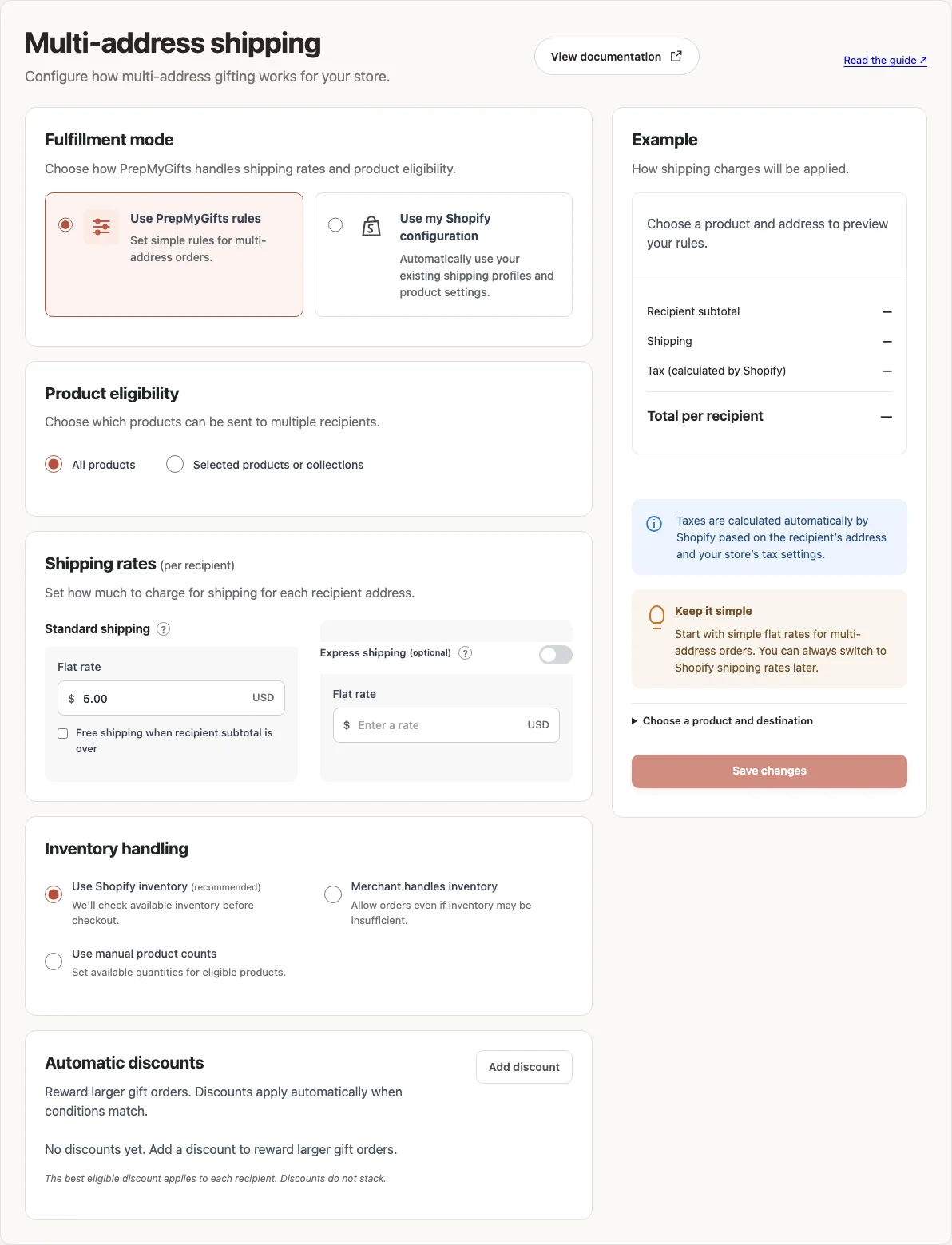
- Open Multi-address shipping and choose Use PrepMyGifts rules or Use my Shopify configuration.
- Review which products can be sent, shipping rates and inventory handling. Add an automatic discount if you need one.
- Choose Save changes. Test products and addresses you can fulfill, check the delivery total, and confirm that checkout is available.
Where to find it
What to know
Plus includes multi-address orders. Existing older subscriptions may have different terms; check your approved plan in Billing & Subscription.
Use destinations you can fulfill. Setting a shipping price does not create carrier service or stock availability.
What happens next
Eligible shoppers can build multi-address carts, and delivery checks use the saved configuration.
Was this helpful?
Still need a hand? Contact support below.