Choose a fulfillment and shipping mode
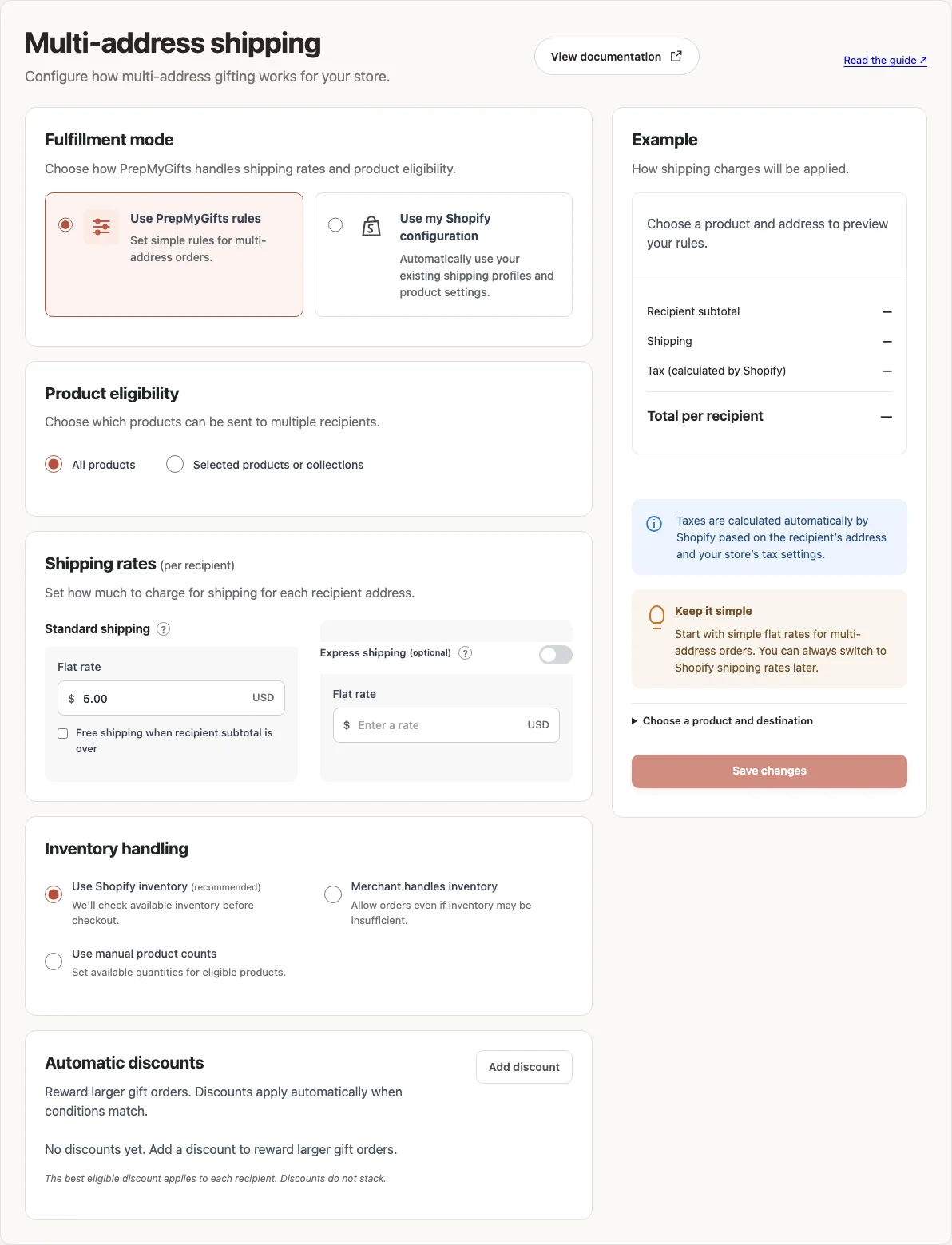
The fulfillment mode determines whether the flow uses your Shopify configuration or the simple PrepMyGifts settings.
How to use it
- Open Multi-address shipping → Fulfillment mode.
- Choose Use PrepMyGifts rules to configure the simple multi-address product, shipping and inventory controls.
- Choose Use my Shopify configuration to use your existing shipping profiles and product settings.
- Review the sections shown for the selected mode, save and test a destination you actually serve.
Where to find it
What to know
Shopify calculates taxes in either mode. Your store still handles shipping the products, and stock checks do not reserve them.
Save the settings after choosing a mode, then check a recipient delivery quote. Review your product selection and stock settings before switching modes.
What happens next
Delivery quotes use the configured eligibility and shipping behavior for the selected mode.
Was this helpful?
Still need a hand? Contact support below.