Brand and preview your gift emails
Make gift emails recognizable with your store logo, accent color and email-safe font.
How to use it
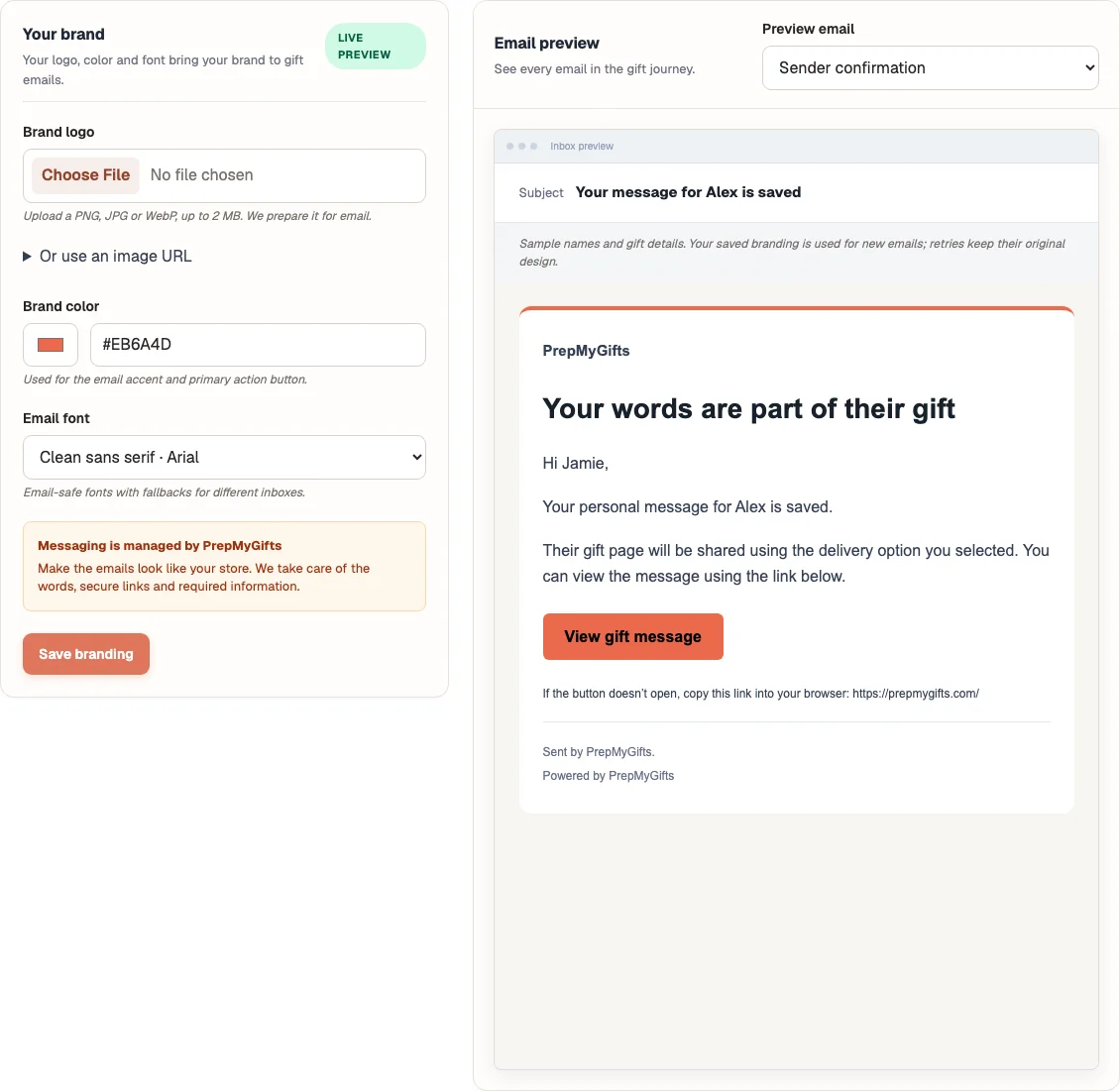
- Open Notifications → Your brand.
- Upload a PNG, JPG or WebP logo up to 2 MB, or use the supported public HTTPS image URL option.
- Choose the brand color and email font, then select Save branding.
- Select a purpose in Email preview and inspect the rendered message.
Where to find it
What to know
PrepMyGifts manages the words, secure links and required information. The app does not offer merchant-written notification templates.
Verification and privacy-export emails use PrepMyGifts branding. Email fonts have fallbacks because inboxes differ.
What happens next
Supported store gift emails use the saved branding. Send a connection test to inspect your actual inbox rendering.
Was this helpful?
Still need a hand? Contact support below.