Set shipping rates per recipient
Set the shipping amount charged for each recipient when using PrepMyGifts rules.
How to use it
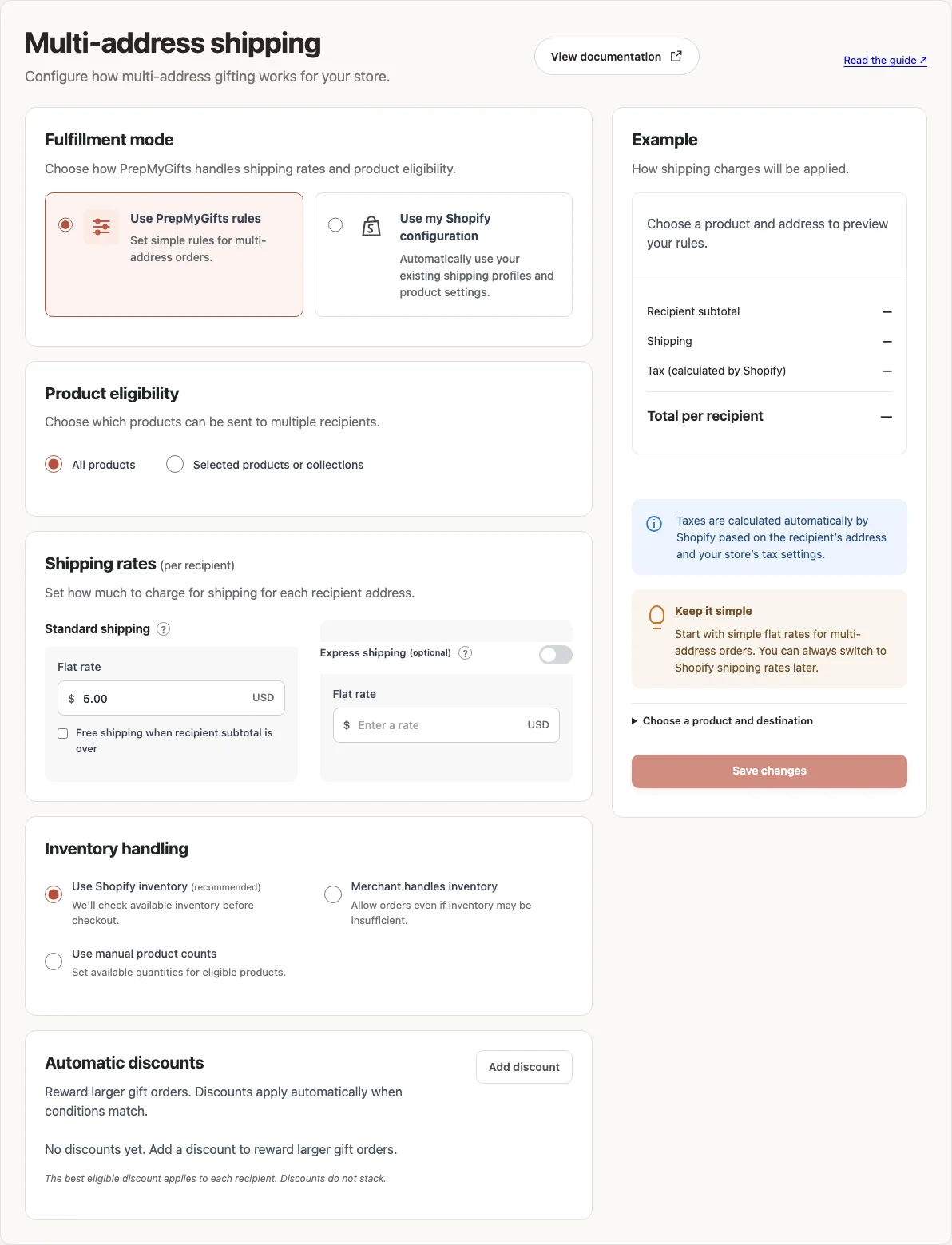
- In Multi-address shipping, choose Use PrepMyGifts rules.
- Under Standard shipping, enter the Flat rate in your store currency.
- To offer free standard shipping above a recipient subtotal, enable the free-shipping option and enter the subtotal threshold.
- If you offer a faster delivery service, enable Express shipping and enter its rate.
- Choose Save changes and check a recipient delivery quote.
Where to find it
What to know
Flat rates are charged once for each recipient address. For example, a $5 flat rate for three recipients adds $15 in shipping before any free-shipping rules apply.
The free-shipping threshold is checked against the recipient’s subtotal. In Use my Shopify configuration mode, rates come from your Shopify shipping setup. Multi-address rates do not change ordinary store checkout rates.
What happens next
The shopper reviews per-recipient shipping and selects an available delivery speed before checkout.
Was this helpful?
Still need a hand? Contact support below.